Google Search Parser
Using the ScrapeOps Parser API you can scrape Google Search Pages without having to maintain your own product parsers.
Simply send the HTML of the Google Search Pages to the Parser API endpoint, and receive the data in structured JSON format.
Google Search Parser API Endpoint:
"https://parser.scrapeops.io/v2/google"
The Google Search Parser supports the following page types:
- Google Search Pages
- Google Image Search Pages
- Google Video Search Pages
- Google News Search Pages
- Google Shop Search Pages
Authorisation - API Key
To use the ScrapeOps Parser API, you first need an API key which you can get by signing up for a free account here.
Your API key must be included with every request using the api_key query parameter otherwise the API will return a 403 Forbidden Access status code.
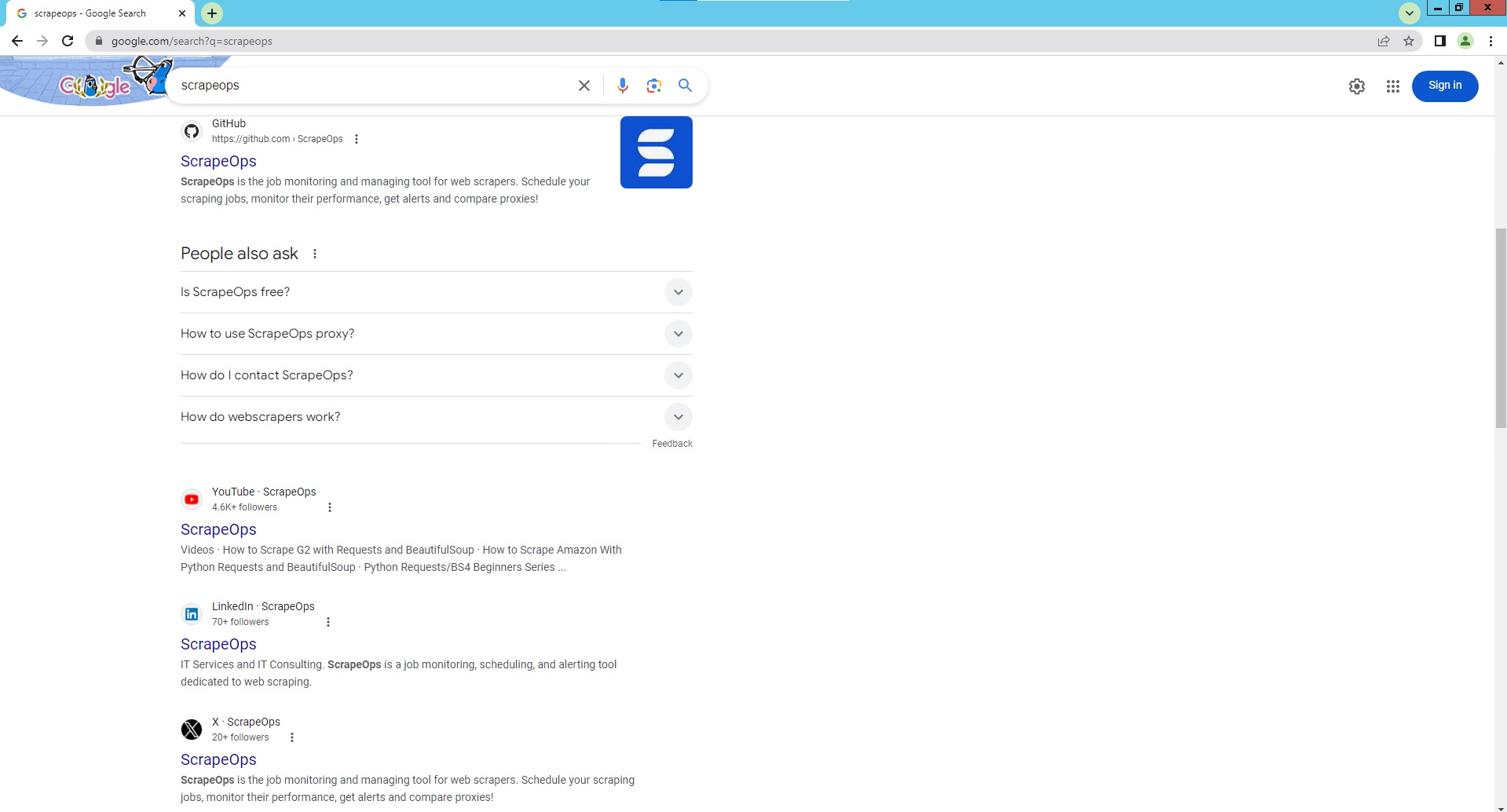
Google Search Page Parser
To use the Parser API without the ScrapeOps Proxy Aggregator, you first need to retrieve the HTML of the page you want to extract the data from.
For example, here we retrieve the HTML from the following Google Search Page with a very simple GET request:
import requests

response = requests.get('https://www.google.com/search?q=scrapeops')

if response.status_code == 200:
    html = response.text
    print(html)
Next, we send this HTML to the ScrapeOps Parser API for data extraction using a POST request:
import requests

response = requests.get('https://www.google.com/search?q=scrapeops')

if response.status_code == 200:
    html = response.text

    data = {
        'url': 'https://www.google.com/search?q=scrapeops',
        'html': html,
    }

    response = requests.post(
        url='https://parser.scrapeops.io/v2/google',
        params={'api_key': 'YOUR_API_KEY'},
        json=data
    )

    print(response.json())
The API will return a JSON response with the following data (status, data, url):
{
	"data": {
		"ads": [
			{
				"position": 1,
				"block_position": "bottom",
				"title": "All Proxy Providers | From $9 | Use 20 Proxy Providers From $9",
				"link": "https://scrapeops.io/proxy-aggregator/",
				"thumbnail": "data:image/gif;base64,R0lGODlhAQABAIAAAP///////yH5BAEKAAEALAAAAAABAAEAAAICTAEAOw==",
				"displayed_link": "https://www.scrapeops.io",
				"tracking_link": "https://www.googleadservices.com/pagead/aclk?sa=L&ai=DChcSEwjC0cLtmaOIAxXXW0cBHc4oILAYABAAGgJxdQ&co=1&ase=2&gclid=EAIaIQobChMIwtHC7ZmjiAMV11tHAR3OKCCwEAMYASAAEgLDr_D_BwE&ohost=www.google.com&cid=CAASJeRoXbuQyf4BkBeQAX2gsqHzgKyPv65KsQZhFgcKWbaXO5zrtBk&sig=AOD64_3LVxBTF--HLLgsKwuo62R95euAeQ&q&nis=4&adurl",
				"description": "Use +20 proxy providers with 1 proxy API. Best reliability and cheapest rates guaranteed. No more searching for proxies. Use +20 proxy providers with 1 proxy API. From $9 month. Free Trial. 1,000 Free API Credits.",
				"sitelinks": {
					"inline": [
						{
							"title": "Best Free Proxies",
							"url": "https://scrapeops.io/proxy-providers/comparison/free-proxy-providers"
						},
						{
							"title": "Residential Proxies",
							"url": "https://scrapeops.io/proxy-providers/comparison/best-residential-proxies"
						}
						...
					],
					"block": null
				}
			},
			{
				"position": 2,
				"block_position": "bottom",
				"title": "Try SOAX's Proxy Network | Scrapingbee",
				"link": "https://soax.com/scraping",
				"thumbnail": "data:image/gif;base64,R0lGODlhAQABAIAAAP///////yH5BAEKAAEALAAAAAABAAEAAAICTAEAOw==",
				"displayed_link": "https://www.soax.com › scraping",
				"tracking_link": "https://www.googleadservices.com/pagead/aclk?sa=L&ai=DChcSEwjC0cLtmaOIAxXXW0cBHc4oILAYABABGgJxdQ&co=1&ase=2&gclid=EAIaIQobChMIwtHC7ZmjiAMV11tHAR3OKCCwEAMYAiAAEgJROvD_BwE&ohost=www.google.com&cid=CAASJeRoXbuQyf4BkBeQAX2gsqHzgKyPv65KsQZhFgcKWbaXO5zrtBk&sig=AOD64_31YTQ8hGnD720TNdzWQEzMBndlgQ&q&nis=4&adurl",
				"description": "Turn websites into structured data and collect public data effortlessly with a simple API. Companies around the world use our wide pool of legitimate and stable IPv6/IPv4...",
				"sitelinks": {
					"inline": null,
					"block": null
				}
			}
			...
		],
		"related_questions": [
			{
				"question": "Is ScrapeOps free?"
			}
			...
		],
		"related_searches": [
			{
				"text": "ScrapeOps pricing",
				"url": "https://www.google.com/search?sca_esv=0568c64b8556c91d&q=ScrapeOps+pricing&sa=X&ved=2ahUKEwiKhr7tmaOIAxVdElkFHTv4MbIQ1QJ6BAhREAE"
			},
			{
				"text": "Scrapeops proxy",
				"url": "https://www.google.com/search?sca_esv=0568c64b8556c91d&q=Scrapeops+proxy&sa=X&ved=2ahUKEwiKhr7tmaOIAxVdElkFHTv4MbIQ1QJ6BAhOEAE"
			}
			...
		],
		"search_information": {
			"query": "scrapeops",
			"time_taken_displayed": 0.24,
			"total_results": 5260
		},
		"search_results": [
			{
				"position": 1,
				"title": "ScrapeOps - The DevOps Tool For Web Scraping. | ScrapeOps",
				"snippet": "ScrapeOps is a devops tool for web scraping which enables you to easily monitor, analyse and schedule your scraping jobs.",
				"link": "https://scrapeops.io/",
				"date": "",
				"displayed_link": "https://scrapeops.io",
				"thumbnail": "data:image/png;base64,iVBORw0KGgoAAAANSUhEUgAAABwAAAAbCAMAAABY1h8eAAAAYFBMVEXl6flCbdwMU9cNU9cATtYZWNgAStYARdV8luSTqOhqieG7x/D///+puOwAQtTh5vhPdt2dr+rT2/UAPtT2+P3s7/sASNXc4vfG0PJ6lORafd8APNTV3fVyjuKhsuvAy/GnqD+BAAAAqUlEQVR4AYXSVQLDIBBFUQgWd9f9r7LeYV71/p4EF0IG6mOBvJhWX9JSGPrR+vTtV0PoTBhRsQZ0ScrKLMMgL1Jeyf+0FVjdKIZNy01YxdEw6qJcAaqeynOrXrDxOUQcdggbRFzQ4ABftjLm6schyL/HBwc/hdSsEXW++HoF2Jerb6hgWLulvB3QgOFqbQZ2wD7dANeZK8BRUOuGZ3vRnHJaEf58t79e/Bna/xa+0PbmOgAAAABJRU5ErkJggg==",
				"site_links": {
					"inline": null,
					"block": [
						{
							"snippet": "Menu. Login. Email *. Password *. Login. Forgot your password ...",
							"title": "Login",
							"url": "https://scrapeops.io/app/login"
						},
						{
							"snippet": "Everything you need to know about Scrapy, its pros and cons ...",
							"title": "The Python Scrapy Playbook",
							"url": "https://scrapeops.io/python-scrapy-playbook/"
						}
						...
					]
				}
			},
			{
				"position": 2,
				"title": "ScrapeOps",
				"snippet": "ScrapeOps is the job monitoring and managing tool for web scrapers. Schedule your scraping jobs, monitor their performance, get alerts and compare proxies!",
				"link": "https://github.com/ScrapeOps",
				"date": "",
				"displayed_link": "https://github.com › ScrapeOps",
				"thumbnail": "data:image/png;base64,iVBORw0KGgoAAAANSUhEUgAAACAAAAAgCAMAAABEpIrGAAAAb1BMVEX////4+Pi3ubtvcnZNUVU+Q0cpLjLr6+x3en0sMTYkKS59gIORk5aUl5n8/Pzw8PFTV1tbX2Pc3d5DSEzn5+g3PECLjpFKTlKFh4qxs7XCxMUwNTq/wcLh4uPV1tZzd3o/Q0jOz9CmqKpjZ2qfoaSrd37mAAABPUlEQVR4AW3TBZKEMBAF0B8GCHzcnbW5/xm30qEyknklcU/DgQpuYRTHUXgLFHw6SemkmcYrlcd8kRYlnlQ1PU0Fp434Qde75Qd+1FUQKiRZjyGfTGNjKhWMmSQXYO3Ibao3MlqBnSRzADhk/ycAdcqclSSHnEUD+KLt8KalMQMqpl3izU5jKxHQGCq8Ud80fq4VfuFZaIyQO4wVPEre5g+RrIAPJrkQSL8OPjv3htQmH8guU5uwgseeP7ITMYBnpdFgvlJPcx0zoLjjzS/FDrVRvH6xsqDYlLx29huRUaFx6YuI1mhKMbddf9trEzca7rmRk/FxpiRXiJO8FDBURyb4yfO7glC8TOpacmAc4ElMEWlc2oGckjwvYVFEB5wjouE6uLBwquypQym/scKrM4njElYaJy182q15aDj/oQMZkS8JH3IAAAAASUVORK5CYII=",
				"site_links": {
					"inline": null,
					"block": null
				}
			}
			...
		]
	},
	"status": "parse_successful",
	"url": "https://www.google.com/search?q=scrapeops&ec=futura_gmv_dt_so_72586115_e"
}
A full example JSON response can be found here.
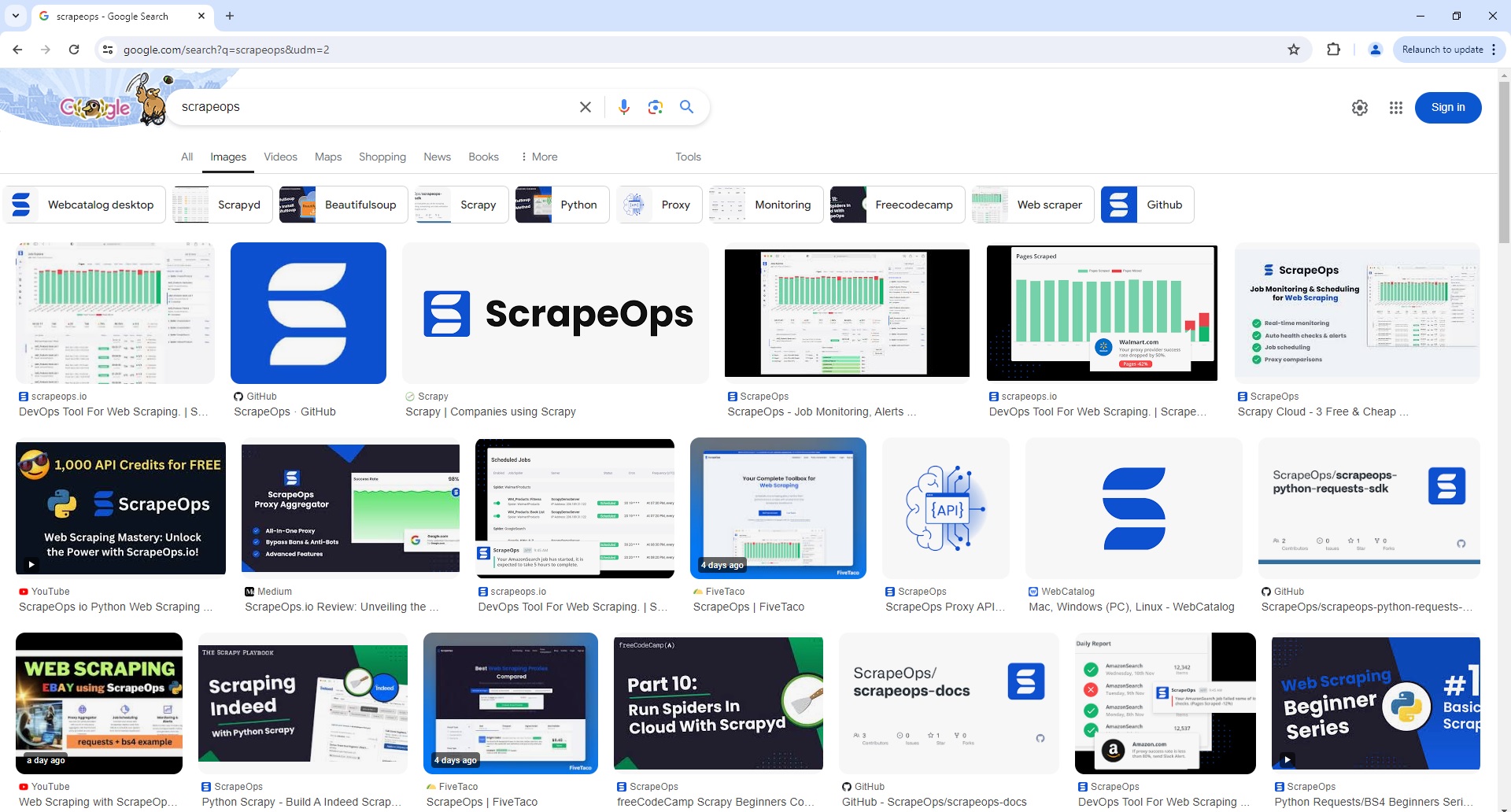
Google Image Search Page Parser
To use the Parser API without the ScrapeOps Proxy Aggregator, you first need to retrieve the HTML of the page you want to extract the data from.
For example, here we retrieve the HTML from the following Google Image Search Page with a very simple GET request:
import requests

response = requests.get('https://www.google.com/search?q=scrapeops&udm=2')

if response.status_code == 200:
    html = response.text
    print(html)
Next, we send this HTML to the ScrapeOps Parser API for data extraction using a POST request:
import requests

response = requests.get('https://www.google.com/search?q=scrapeops&udm=2')

if response.status_code == 200:
    html = response.text

    data = {
        'url': 'https://www.google.com/search?q=scrapeops&udm=2',
        'html': html,
    }

    response = requests.post(
        url='https://parser.scrapeops.io/v2/google',
        params={'api_key': 'YOUR_API_KEY'},
        json=data
    )

    print(response.json())
The API will return a JSON response with the following data (status, data, url):
{
	"data": {
		"related_searches": [
			{
				"text": "etl job monitoring dashboard",
				"url": "https://www.google.com/search?sca_esv=d4df4a45296c77b3&udm=2&q=etl+job+monitoring+dashboard&stick=H4sIAAAAAAAAAFvEKpNakqOQlZ-kkJufl1mSX5SZl66QklickZSfWJQCAHw5wfAfAAAA&source=univ&sa=X&ved=2ahUKEwjf5_q-q6OIAxVGEFkFHcMhGQoQrNwCegQIcBAA"
			},
			{
				"text": "web scraping",
				"url": "https://www.google.com/search?sca_esv=d4df4a45296c77b3&udm=2&q=web+scraping&stick=H4sIAAAAAAAAAFvEylOemqRQnFyUWJCZlw4A938U_w8AAAA&source=univ&sa=X&ved=2ahUKEwjf5_q-q6OIAxVGEFkFHcMhGQoQrNwCegQIeBAA"
			}
			...
		],
		"related_topics": [
			{
				"image": "data:image/png;base64,iVBORw0KGgoAAAANSUhEUgAAAFcAAAAuCAMAAABqO3VXAAAAaVBMVEX///8NU9cATtYARNUAUNfL1PMAQdRJb9w9Z9pkhODc4vcARtUAP9QASNUAPdSvvO1Ca9sAOdOfr+pyjeLt8PtWeN6RpOfGz/Lx9Pzn6/puieGAl+R6k+RjgeDW3PVMc90uX9mptuy9yPCR0j4xAAAA6klEQVRIie2WWxKCMAxF04cIlBZBQSoK6P4Xqf7R5rP3QxzOAs7caZImRDs7/07Znos1jxZhvXTOygDVA7SlkSIiu6ZrB6VjrdbpWipYWpHV6VpfMa26pWuptpFVuhGgpXuTrXHmMSG05MsAD5FukP50XDOPgJH40hodILOlRHgn1r+6gkTO2RgLh+iKqWFeOQO89HRMXEGe+GVsWDttngjvJ/KcByyIf32DHGIgdbvklQpxd4DWWzYZFrHnFz5wiP6tFdPqY7qWTjxuA4g7xHtTaPdK15JvZHRDCcjiHLrg4ivOiLA7O7/NGzkZDA84M7rDAAAAAElFTkSuQmCC",
				"text": "Webcatalog desktop",
				"url": "https://www.google.com/search?sca_esv=d4df4a45296c77b3&q=webcatalog+desktop+scrapeops&uds=ADvngMiBw_HcYg9ZjlZrsyuTog__yVSP33gJ7dSW7pK-BJMPUnuX-eQ28EXa2lhJNsXDL_OHOZvmbkPc71rJYhsiUzmN2lyrR6RE09GSjMqPcwZ9t7yJDZ3PjLkXgep4tfj1oosFDeN5&udm=2&sa=X&ved=2ahUKEwjf5_q-q6OIAxVGEFkFHcMhGQoQxKsJegQIDRAB&ictx=0"
			},
			{
				"image": "data:image/jpeg;base64,/9j/4AAQSkZJRgABAQAAAQABAAD/2wCEAAkGBwgHBgkIBwgKCgkLDRYPDQwMDRsUFRAWIB0iIiAdHx8kKDQsJCYxJx8fLT0tMTU3Ojo6Iys/RD84QzQ5OjcBCgoKDQwNGg8PGjclHyU3Nzc3Nzc3Nzc3Nzc3Nzc3Nzc3Nzc3Nzc3Nzc3Nzc3Nzc3Nzc3Nzc3Nzc3Nzc3Nzc3N//AABEIAC4AUgMBIgACEQEDEQH/xAAcAAABBAMBAAAAAAAAAAAAAAAGAgQFBwABAwj/xAAwEAACAQMDAgUDAgcBAAAAAAABAgMEBREAEiEGMRMiQVFhFDJxI5EHgYKhsdHxcv/EABoBAAICAwAAAAAAAAAAAAAAAAADBAUBAgb/xAAeEQACAgIDAQEAAAAAAAAAAAAAAQIDETEEEkEhBf/aAAwDAQACEQMRAD8ArqCrt6QxpNaVmkX7pPqXXfz7Dt7a2tZbwTutKuvhqgBqXBDAnLZA7nI+Bj51ypbZXVkJmpaSWWJWZDIo8oZULkE++1Sf5af03Sl+qfHxa6mHwYTM31EbRlgFZsKCMsxCtgD25xpwDYVlsyd1mBG4kAVjjA9u3OtGrtmABZyCMc/Wuc++eNSMXRl5NXPR1MUVHUxJG+2eVdrB5FjyHUkcFhn1+Nd6PourmpLtJUTCKa3VAh8FIyxmwN0hQHBJVCGAx5h7axlARC1drx57MS3riscDPwMdvj++m1ZLTSsn0lIaYAHcDMZNxz89tGE/Rtnpc09b1FTQzxGRGlBQLKQIiGXc/KrvYYHmbacDIIA31DR22hrYo7PXGsp3gWRnZ1Zkck5U7Rgdgcc4zydGQIvVk9AtVHp4+PS1K08UhMc7QP4bIec78YxnProa/h1bKS79ZW6kuCCWmy8rwkZ8XYhYLj1yQOPUAjXpgVIVPLTTgLgABPx2/f8AsdI5NKvh0ZrKPZYKv4YcHg+o1og/P7/nUj1BBDTXqaOmiaKN41m8NhjYxZ1IA9js3f1aYa5i6t1WOD8IzWHgSc59f31rS9ZpRgqux9S3SyU8tLbpIkjnk3yCRc7vIUwecYw2fyqnPHLmq6qvs5cTXeCPxFYMkcSYJbfvYbUO1m8R9zDBO4/A0y6ce1JWuL2VSnKIUkaJpArrLGxBVeSGRXT+rRCt/wCjKWnIpbNUsJlzLHIAyFxu2EhpMcbycAY7fgdm19JgP1F3udZJiovdxneR0bZG7lWcHynbuHmB5BxnPPfTc0ktTWtSSU9dUVnmkeOXyPnbuJIYE5wM5Oip+ounWtkLWa2wwXVK6CWGljhAYus28neE4BztC7zgKuFHOnNJ1N1bT/V01NYGaWOtYSEU0hSJ2kUhGVMIWztXOMkMPfWPoANUUNTTRieWgqqenZ9iySwsqlgPt3EAE8HjTfR1VUHWnUEKW2spqalp5Klpv1JFjAcsWyRuZypaU4IBGZVGcFcCt1tFXao6OSq8IpWQiaFon3qVODjPbIyM4z31smBwt1dU2yvp66hlMVTTuJI3HoR/kehHqDr0d09crhf7HQ190jaCSpgEqUtJK0a7T9sjycEA9woPY87vTzQRkEa9I9I3OO79JUNXSruU0UVNKEI/Rkj4YNnsPUH259RpVzajlGGdbhYqSrL+GxgrchRPHM00ZbsFkUnj29D7H00Kru8yyJskRmR0znaykhh84IPOjmGNEIMc0bwRbS8in9NFVgxJYnjgfaCe+guacVdTU1Sgqk87yICMHaWO049CRg4+dUnOinBTe8ibNZOes0rGs1ViinrPVU1JWOa6FpaWaCWCUIql1DoVDLnjcCQf5aLD11a46s1cHS9K0xlmYu5RWZXbcCTsPPYHuMZHrx1i6HphapIpJS1e+CJxnah9gPb39fxxoBZSrFT3Bwca6ynkV356eEqMlLRPT9W3OWvp6pRAqQfTlKcxhk3QhdvOA20su7aDjJOn8H8QLmlHOssML1zACGtRUjMXEY3bQnJ/Sj7FR5F4PqI62ME86kYRsSVT1DeKqXxZrlP4ncNHiPbyjcbAMcxRnjsVGmVTV1VWytV1U9QUGEM0rPtHsMngfGk54wM9v9602CSec/8AdACNSdiv926fqGns1fLSu/3hcMr/APpSCD+cZGozWaALFsHWl46juf0F8rPFgaMtFCiLGhdTnkKBu4yecjjOizB1TVoqmorrR1Sd4plJ+RnBH7E6ugjnVB+rDrapeNEe3YjB1ml6zVUKP//Z",
				"text": "Axios",
				"url": "https://www.google.com/search?sca_esv=d4df4a45296c77b3&q=axios+scrapeops&uds=ADvngMhWLxdD0hqgqE9I5Yd4cUhit5YwfjISIDMtSii92PmuVK_F5mpZBLHzK70bJCDZ6fXyWtWOkmGtggYfIAiS1MZOablxqJdUEqgeendBAxo7YdN3tANyUbp2GB3IQ-SY0K_tqMDp&udm=2&sa=X&ved=2ahUKEwjf5_q-q6OIAxVGEFkFHcMhGQoQxKsJegQICBAB&ictx=0"
			}
			...
		],
		"search_information": {
			"query": "scrapeops"
		},
		"search_results": [
			{
				"icon": "data:image/png;base64,iVBORw0KGgoAAAANSUhEUgAAABAAAAAQCAMAAAAoLQ9TAAAAZlBMVEX///8AAAAjKC0kKS6XmJoSGSArMDUADheGiYsUGyEAAAj09fUfJCrq6utCRkqXmZpYXF8AAA9gZGd9gIPOz9BPU1cOFh6OkJLs7OyEhoigoaJTV1owNDkACBTT1NU2Oz9wc3Xf3+A4w9aYAAAAoElEQVQYlUVOVxaDMAyznUUGo0BYbSDc/5JNgLT6sJ/0ZMkACTVvpGzaBR5UKChB43zz7qUcI2JOmT7zIXSjx0mjH3tTpXvUyWkvLxe4pKHXEjYLsUFDxhbBGvcGSRP8QPRJgvkLgSR4F/bC9+A8cD3JJ8QeTrSpdosYT4BzMI6lWlixjj57kJiqstMf45k3MtXdtxHxEnAo6Se/Hq/z/AK18QcGYnwzCQAAAABJRU5ErkJggg\\x3d\\x3d",
				"image": "data:image/jpeg;base64,/9j/4AAQSkZJRgABAQAAAQABAAD/2wCEAAkGBw8OEQ0QDQ8VDxAQDw4NDw0RDxAOEQ8QFREXFxYRExUYISogGRolGxcVIjEhJik3Ly4uFx80ODM4NygtLysBCgoKDg0OGhAQGy4dICYuLS0tLS0tLSstLS0tLS0tLS0tLSsvLS0tLS0tLS0tLS0tLS0tKystLS0tLSstLSstLf/AABEIAOAA4AMBEQACEQEDEQH/xAAcAAEAAgIDAQAAAAAAAAAAAAAAAQcFBgIDBAj/...",
				"source": "GitHub",
				"title": "ScrapeOps · GitHub",
				"url": "https://github.com/ScrapeOps"
			},
			{
				"icon": "data:image/png;base64,iVBORw0KGgoAAAANSUhEUgAAABAAAAAPCAMAAADarb8dAAAAYFBMVEX///8MU9cNU9cUVtcVVtcAT9YATdYAUNcARdXt8PsAQ9QATtZZfN4ALtLx8/sAS9aJoOYAQNRrieFwjeJOdd32+P3DzfHY3/YpX9kAK9EAN9OzwO5jg+Dl6fmYq+k3ZtqJCQjkAAAAhElEQVQImS2PURLCIAwFkyiEtrYBFK0W7f1vKSTsD/N2SN4EoqcGKkQ+AvcnpbnjCBkuSJI3UO4LXptwD4tQZlIRnpZfO5vAtHbeH0cm5ChbYzpkiKWOHd9kgkIcploLUViDMpaS1Ekp2X7wPiYA2Vp+I2fpI4x83hTptQztWnZKv9rHP/nKBiTtRWutAAAAAElFTkSuQmCC",
				"image": "data:image/jpeg;base64,/9j/4AAQSkZJRgABAQAAAQABAAD/2wCEAAkGBxISEhUSExEVFhIVGBoYFxcYFxgXFhcYGBgYGBUYGRYYHSggGBolGxceITEhJSkrLi4uGR8zODUsNygtLisBCgoKDg0OGxAQGy0mICYvLy4tLy0tLi0tLS0rLS0tLS0tLS0wLS0tLS0tKy81LS0tLS0tLTItLS0tLS0tLS0tLf/AABEIAMEBBQMBIgACEQEDEQH/xAAbAAACAwEBAQAAAAAAAAAAAAAABAECAwUGB//...",
				"source": "scrapeops.io",
				"title": "DevOps Tool For Web Scraping. | ScrapeOps",
				"url": "https://scrapeops.io/"
			}
			...
		]
	},
	"status": "parse_successful",
	"url": "https://www.google.com/search?q=scrapeops&udm=2&ec=futura_gmv_dt_so_72586115_e"
}
A full example JSON response can be found here.
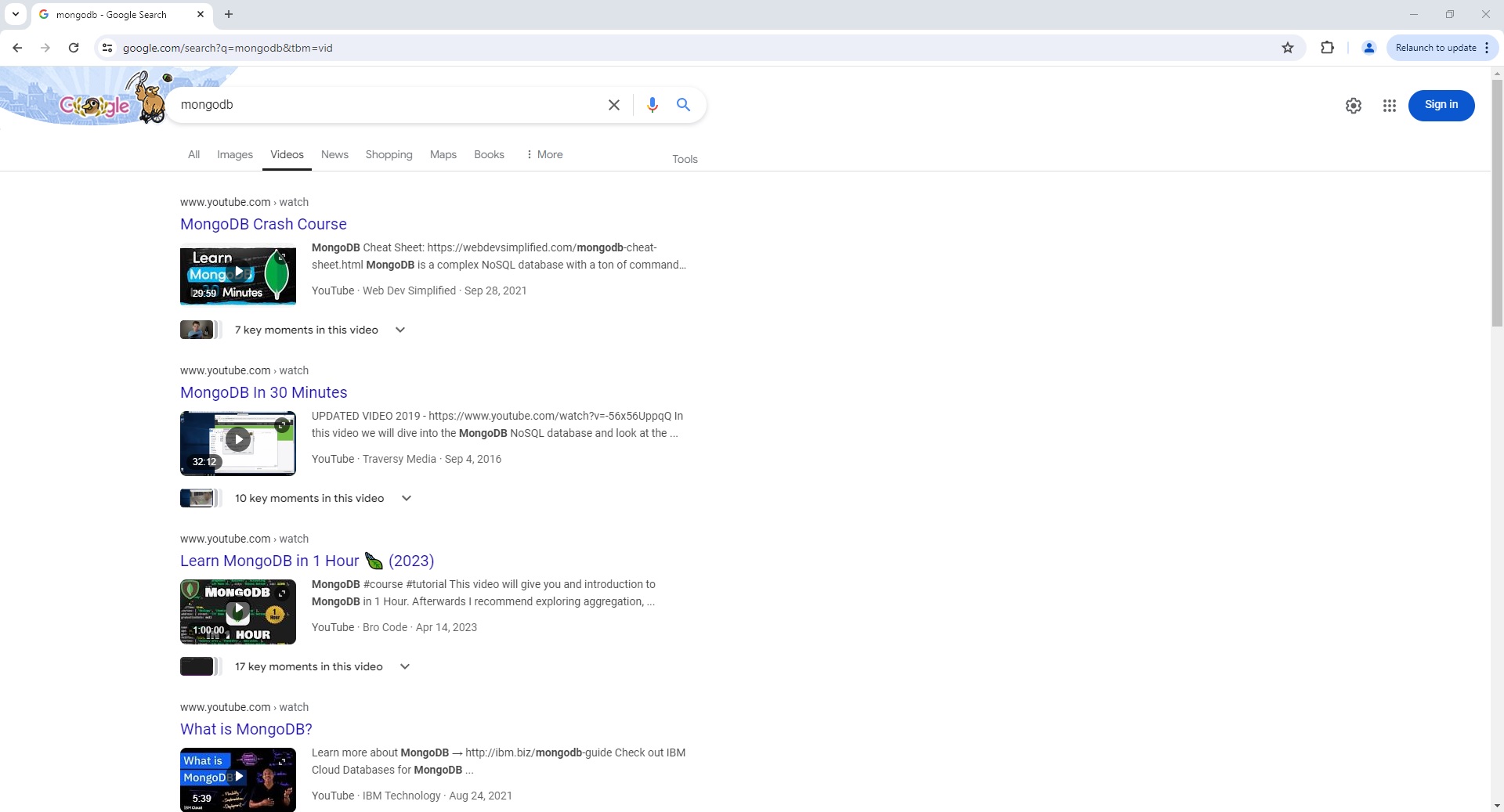
Google Video Search Page Parser
To use the Parser API without the ScrapeOps Proxy Aggregator, you first need to retrieve the HTML of the page you want to extract the data from.
For example, here we retrieve the HTML from the following Google Video Search Page with a very simple GET request:
import requests

response = requests.get('https://www.google.com/search?q=mongodb&tbm=vid')

if response.status_code == 200:
    html = response.text
    print(html)
Next, we send this HTML to the ScrapeOps Parser API for data extraction using a POST request:
import requests

response = requests.get('https://www.google.com/search?q=mongodb&tbm=vid')

if response.status_code == 200:
    html = response.text

    data = {
        'url': 'https://www.google.com/search?q=mongodb&tbm=vid',
        'html': html,
    }

    response = requests.post(
        url='https://parser.scrapeops.io/v2/google',
        params={'api_key': 'YOUR_API_KEY'},
        json=data
    )

    print(response.json())
The API will return a JSON response with the following data (status, data, url):
{
	"data": {
		"pagination": [
			{
				"page": 1,
				"selected": true
			},
			{
				"link": "/search?q=mongodb&sca_esv=b3eb3acadfa7d029&tbm=vid&ei=pW3WZoj-Hu7e2roP0LmeqQc&start=10&sa=N&ved=2ahUKEwjI5MrU1qWIAxVur1YBHdCcJ3UQ8tMDegQIGBAE",
				"page": 2
			},
			{
				"link": "/search?q=mongodb&sca_esv=b3eb3acadfa7d029&tbm=vid&ei=pW3WZoj-Hu7e2roP0LmeqQc&start=20&sa=N&ved=2ahUKEwjI5MrU1qWIAxVur1YBHdCcJ3UQ8tMDegQIGBAG",
				"page": 3
			}
			...
		],
		"related_searches": [
			{
				"link": "https://www.google.com/search?sca_esv=b3eb3acadfa7d029&tbm=vid&q=MongoDB+Crash+course&sa=X&ved=2ahUKEwjI5MrU1qWIAxVur1YBHdCcJ3UQ1QJ6BAgWEAE",
				"text": "mongodb crash course"
			},
			{
				"link": "https://www.google.com/search?sca_esv=b3eb3acadfa7d029&tbm=vid&q=MongoDB+videos&sa=X&ved=2ahUKEwjI5MrU1qWIAxVur1YBHdCcJ3UQ1QJ6BAgVEAE",
				"text": "mongodb videos"
			}
			...
		],
		"search_information": {
			"query": "mongodb",
			"time_seconds": 0.49,
			"total_results": 1160000
		},
		"search_results": [
			{
				"key_moment_count": 7,
				"link": "https://www.youtube.com/watch?v=VOLeKvNz-Zo",
				"site": "www.youtube.com› watch",
				"snippet": "Learn more about MongoDB → http://ibm.biz/mongodb -guide Check out IBM Cloud Databases for MongoDB  ...",
				"source": "YouTube",
				"thumbnail": "data:image/jpeg;base64,/9j/4AAQSkZJRgABAQAAAQABAAD/2wCEAAkGBwgHBgkIBwgKCgkLDRYPDQwMDRsUFRAWIB0iIiAdHx8kKDQsJCYxJx8fLT0tMTU3Ojo6Iys/RD84QzQ5OjcBCgoKDQwNGg8PGjclHyU3Nzc3Nzc3Nzc3Nzc3Nzc3Nzc3Nzc3Nzc3Nzc3Nzc3Nzc3Nzc3Nzc3Nzc3Nz...",
				"title": "What is MongoDB?",
				"upload_date": "Aug 25, 2021",
				"uploader": "IBM Technology",
				"video_length": "5:39"
			},
			{
				"key_moment_count": 7,
				"link": "https://www.youtube.com/watch?v=ofme2o29ngU",
				"site": "www.youtube.com› watch",
				"snippet": "MongoDB Cheat Sheet: https://webdevsimplified.com/mongodb -cheat-sheet.html MongoDB is a complex NoSQL database with a ton of commands and  ...",
				"source": "YouTube",
				"thumbnail": "data:image/jpeg;base64,/9j/4AAQSkZJRgABAQAAAQABAAD/2wCEAAkGBwgHBgkIBwgKCgkLDRYPDQwMDRsUFRAWIB0iIiAdHx8kKDQsJCYxJx8fLT0tMTU3Ojo6Iys/RD84QzQ5OjcBCgoKDQwNGg8PGjclHyU3Nzc3Nzc3Nzc3Nzc3Nzc3Nzc3Nzc3Nzc3Nzc3Nzc3Nzc3Nzc3Nzc3Nzc3Nzc3Nzc3N//...",
				"title": "MongoDB Crash Course",
				"upload_date": "Sep 29, 2021",
				"uploader": "Web Dev Simplified",
				"video_length": "29:59"
			}
			...
		]
	},
	"status": "parse_successful",
	"url": "https://www.google.com/search?q=mongodb&sca_esv=b3eb3acadfa7d029&tbm=vid&ei=QGvWZrG9Mryt0-kPqOeYoQE&ved=0ahUKEwix3bew1KWIAxW81jQHHagzJhQQ4dUDCA0&uact=5&oq=mongodb&gs_lp=Eg1nd3Mtd2l6LXZpZGVvIgdtb25nb2RiMgsQABiABBiRAhiKBTIFEAAYgAQyBRAAGIAEMgUQABiABDIFEAAYgAQyBRAAGIAEMgUQABiABDIFEAAYgAQyBRAAGIAEMgsQABiABBiGAxiKBUjuXVDLRFjyW3AAeACQAQCYAbwEoAGUFKoBBzMtNi4wLjG4AQPIAQD4AQGYAgegArEUwgIIEAAYgAQYogSYAwCIBgGSBwUzLTYuMaAHxSE&sclient=gws-wiz-video&ec=futura_gmv_dt_so_72586115_e"
}
A full example JSON response can be found here.
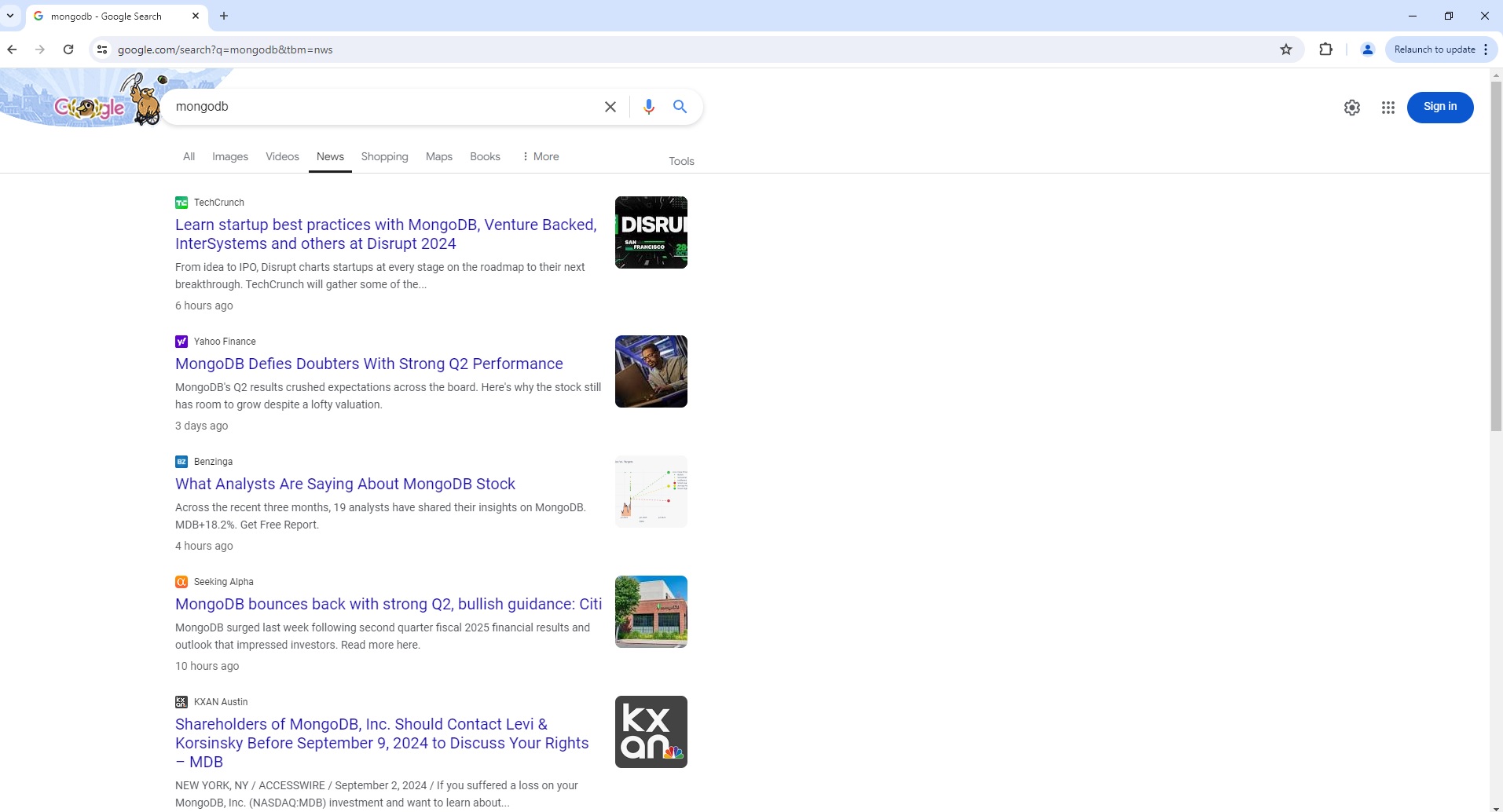
Google News Search Page Parser
To use the Parser API without the ScrapeOps Proxy Aggregator, you first need to retrieve the HTML of the page you want to extract the data from.
For example, here we retrieve the HTML from the following Google News Search Page with a very simple GET request:
import requests

response = requests.get('https://www.google.co.uk/search?q=earthquake&tbm=nws')

if response.status_code == 200:
    html = response.text
    print(html)
Next, we send this HTML to the ScrapeOps Parser API for data extraction using a POST request:
import requests

response = requests.get('https://www.google.co.uk/search?q=earthquake&tbm=nws')

if response.status_code == 200:
    html = response.text

    data = {
        'url': 'https://www.google.co.uk/search?q=earthquake&tbm=nws',
        'html': html,
    }

    response = requests.post(
        url='https://parser.scrapeops.io/v2/google',
        params={'api_key': 'YOUR_API_KEY'},
        json=data
    )

    print(response.json())
The API will return a JSON response with the following data (status, data, url):
{
	"data": {
		"pagination": [
			{
				"number": 1,
				"selected": true
			},
			{
				"number": 2,
				"url": "/search?q=mongodb&sca_esv=7d26b11aab597cbb&tbm=nws&ei=kZ7XZsHZEtLT2roPpLaKsA4&start=10&sa=N&ved=2ahUKEwiB5rK6-aeIAxXSqVYBHSSbAuYQ8tMDegQIAhAE"
			}
			...
		],
		"search_information": {
			"query": "mongodb",
			"time_seconds": 0.14,
			"total_results": 12300
		},
		"search_results": [
			{
				"date": "6 hours ago",
				"snippet": "From idea to IPO, Disrupt charts startups at every stage on the roadmap to their next breakthrough. TechCrunch will gather some of the...",
				"source": "TechCrunch",
				"source_icon": "data:image/jpeg;base64,/9j/4AAQSkZJRgABAQAAAQABAAD/2wCEAAkGBwgHBgkIBwgKCgkLDRYPDQwMDRsUFRAWIB0iIiAdHx8kKDQsJCYxJx8fLT0tMTU3Ojo6Iys/RD84QzQ5OjcBCgoKDQwNGg8PGjclHyU3Nzc3Nzc3Nzc3Nzc3Nzc3Nzc3Nzc3Nzc3NzctNy03Nzc3NzcwNzcrNzc3Kzc3Nzc4Lf...",
				"thumbnail": "data:image/jpeg;base64,/9j/4AAQSkZJRgABAQAAAQABAAD/2wCEAAkGBwgHBgkIBwgKCgkLDRYPDQwMDRsUFRAWIB0iIiAdHx8kKDQsJCYxJx8fLT0tMTU3Ojo6Iys/RD84QzQ5OjcBCgoKDQwNGg8PGjclHyU3Nzc3Nzc3Nzc3Nzc3Nzc3Nzc3Nzc3Nzc3Nzc3Nzc3Nzc3Nzc3Nzc3Nzc3Nzc3Nzc3N//AABEIAFwAXAMBIgACEQEDEQH/xAAcAAABBAMBAAAAAAAAAAAAAAAEAwUGBwACCAH/xABDEAACAQIEBAMFBAUJCQAAAAABAgMEEQAFEiEGBzFBE1FhFCIycYEjkaHRFUKxwfAXM1Jjk5TC0uEIFjdDVWJyhZL/...",
				"title": "Learn startup best practices with MongoDB, Venture Backed, InterSystems and others at Disrupt 2024",
				"url": "https://techcrunch.com/2024/09/03/learn-startup-best-practices-with-mongodb-venture-backed-intersystems-and-others-at-disrupt-2024/"
			},
			{
				"date": "3 days ago",
				"snippet": "MongoDB's Q2 results crushed expectations across the board. Here's why the stock still has room to grow despite a lofty valuation.",
				"source": "Yahoo Finance",
				"source_icon": "data:image/png;base64,iVBORw0KGgoAAAANSUhEUgAAABAAAAAQCAMAAAAoLQ9TAAAATlBMVEVgAdL///9+MdqvgOicYeNqEdV0IdjEoO7z6/vYwPSIQd3JqPDx6Pvv5fqOS9++l+3i0PehauWWWOH17/zr3/mZXOKSUeDo2vjN...",
				"thumbnail": "data:image/jpeg;base64,/9j/4AAQSkZJRgABAQAAAQABAAD/2wCEAAkGBwgHBgkIBwgKCgkLDRYPDQwMDRsUFRAWIB0iIiAdHx8kKDQsJCYxJx8fLT0tMTU3Ojo6Iys/RD84QzQ5OjcBCgoKDQwNGg8PGjclHyU3Nzc3Nzc3Nzc3Nzc3Nzc3Nzc3Nzc3Nzc3Nzc3Nzc3Nzc3Nzc3Nzc3Nzc3Nzc3...",
				"title": "MongoDB Defies Doubters With Strong Q2 Performance",
				"url": "https://finance.yahoo.com/news/mongodb-defies-doubters-strong-q2-155100980.html"
			}
			...
		]
	},
	"status": "parse_successful",
	"url": "https://www.google.com/search?q=mongodb&tbm=nws&ec=futura_gmv_dt_so_72586115_e"
}
A full example JSON response can be found here.
Google Shop Search Page Parser
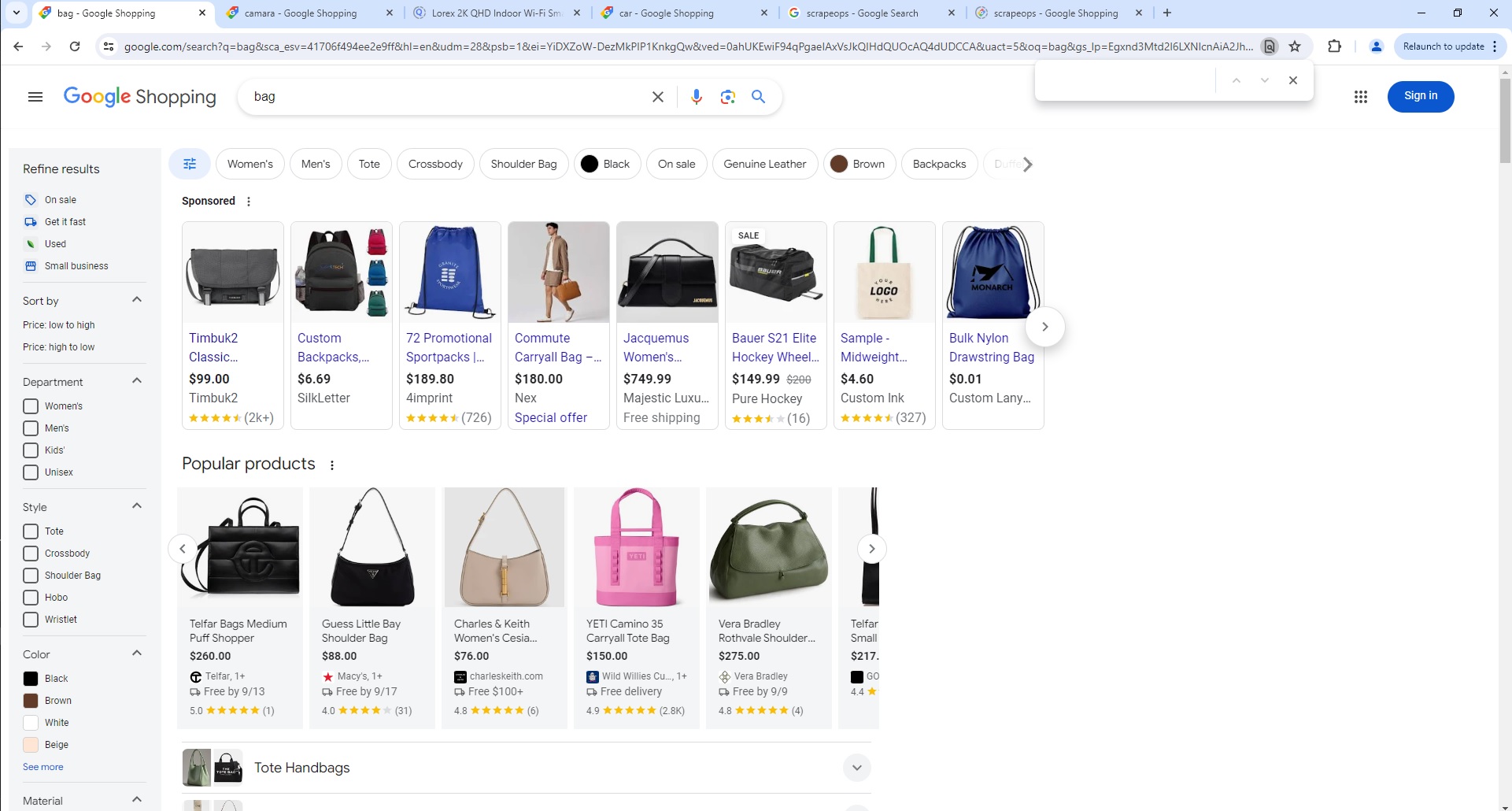
To use the Parser API without the ScrapeOps Proxy Aggregator, you first need to retrieve the HTML of the page you want to extract the data from.
For example, here we retrieve the HTML from the following Google Shop Search Page with a very simple GET request:
import requests

response = requests.get('https://www.google.com/search?q=bag&hl=en&udm=28')

if response.status_code == 200:
	html = response.text
	print(html)
Next, we send this HTML to the ScrapeOps Parser API for data extraction using a POST request:
import requests

response = requests.get('https://www.google.com/search?q=bag&hl=en&udm=28')

if response.status_code == 200:
	html = response.text

	data = {
		'url': 'https://www.google.com/search?q=bag&hl=en&udm=28',
		'html': html,
	}

	response = requests.post(
		url='https://parser.scrapeops.io/v2/google',
		params={'api_key': 'YOUR_API_KEY'},
		json=data
	)

	print(response.json())
The API will return a JSON response with the following data (status, data, url):
{
"data": {
"ads": [
{
"domain": "timbuk2.com",
"fulfillments": [
"Free shipping",
"30-day return policy"
],
"image": "https://encrypted-tbn1.gstatic.com/shopping?q=tbn:ANd9GcQmhS6Kc8_Itz4xNHbD1dy7LhHzkLjjSHRRf9ecHvJDaADc5dTrzcGj4Y1CKfFkxK7FYw2pEd6Hal0kcCviGeruKm8II36ohpF3i8sJTVeyDF7BqbDGzhLXwXYDMMFL7e1awXjTvos&usqp=CAc",
"name": "Timbuk2 Classic Messenger Bag, Gunmetal, X-Small",
"price": 99,
"price_string": "$99.00",
"rating_star": 4.6,
"reviews_count": "2k+",
"source": "Timbuk2",
"url": "https://www.timbuk2.com/products/2023-classic-messenger-bag?variant=40578607448106¤cy=USD"
},
{
"domain": "silkletter.com",
"fulfillments": [
"30-day returns (most)"
],
"image": "https://encrypted-tbn2.gstatic.com/shopping?q=tbn:ANd9GcQ00cVPHZyNe47el4hAMZztuM1-Mf3Pj7KyOJSMOW4BX5IV2TfFp--uXhK49NzMCAnlov7OxYYcnDdmTqWInIbWBDYWeATQ7FDqCqUGmaRH1TVoQ6Cjfpq9rKcHwss_wRvowgeZhXE&usqp=CAc",
"name": "Custom Backpacks, Custom Printed Promotional, 600D Polyester, Blank Sample",
"price": 6.69,
"price_string": "$6.69",
"source": "SilkLetter",
"url": "https://silkletter.com/school-backpacks.html"
}
...
],
"search_results": [
{
"delivery": "Free $100+",
"image": "https://encrypted-tbn2.gstatic.com/shopping?q=tbn:ANd9GcTCALGBufmmSDeEjNllCKHqvNBPC8xIvlfggnlNM2uHneRai3_K4HmmvJSDYfSdUnPy2pvyjWtnMDw5MYkxsJIgRmJGKBBFX2QwoMPN-qX-mEKN4JBVOM8zSg",
"name": "Charles &Keith Women's Kora Metallic-Accent Moon Bag",
"price": 83,
"price_string": "$83.00",
"rating_star": 4,
"reviews_count": "1",
"source": "charleskeith.com"
},
{
"delivery": "Free by 9/16",
"image": "https://encrypted-tbn0.gstatic.com/shopping?q=tbn:ANd9GcSotxw8VjkExeswXn9am4-UJXGAR3_aLDG3bH7Tu0BrHxkdSR_Iv0JT9nPtNsqNaJFXwW3bJtYnXYG7tjp--HYQ2oX1mdFdUNPYa2rFxsI",
"name": "Michael Kors Bags Michael Kors Xs Jet Set Travel Womens Carryall Top Zip Tote",
"price": 79,
"price_savings": "82% OFF",
"price_string": "$79.00",
"price_was": "$448",
"rating_star": 4.6,
"reviews_count": "535",
"source": "Michael Kors"
}
...
]
},
"status": "parse_successful",
"url": "https://www.google.com/search?q=bag&sca_esv=41706f494ee2e9ff&hl=en&udm=28&psb=1&ei=YiDXZoW-DezMkPIP1KnkgQw&ved=0ahUKEwiF94qPgaeIAxVsJkQIHdQUOcAQ4dUDCCA&uact=5&oq=bag&gs_lp=Egxnd3Mtd2l6LXNlcnAiA2JhZzIKEAAYsAMY1gQYRzIKEAAYsAMY1gQYRzIKEAAYsAMY1gQYRzIKEAAYsAMY1gQYRzIKEAAYsAMY1gQYRzIKEAAYsAMY1gQYRzIKEAAYsAMY1gQYRzIKEAAYsAMY1gQYR0iqFVCcClieE3ACeACQAQCYAQCgAQCqAQC4AQPIAQD4AQGYAgKgAgaYAwCIBgGQBgiSBwEyoAcA&sclient=gws-wiz-serp&ec=futura_gmv_dt_so_72586115_e"
}
A full example JSON response can be found here.
Proxy API Integration
The ScrapeOps Parser API is integrated into the ScrapeOps Proxy API Aggregator and can be used for free by using the Auto Extract functionality.
So if you already have a Proxy API Aggregator plan then use the Parser API for no extra charge.
The following example shows you how to use the Parser API via a Python Requests based scraper using the Proxy API Aggregator:
import requests

response = requests.get(
  url='https://proxy.scrapeops.io/v1/',
  params={
      'api_key': 'YOUR_API_KEY',
      'url': 'https://www.google.com/search?q=scrapeops',
      'auto_extract': 'google'
  }
)

print(response.json())